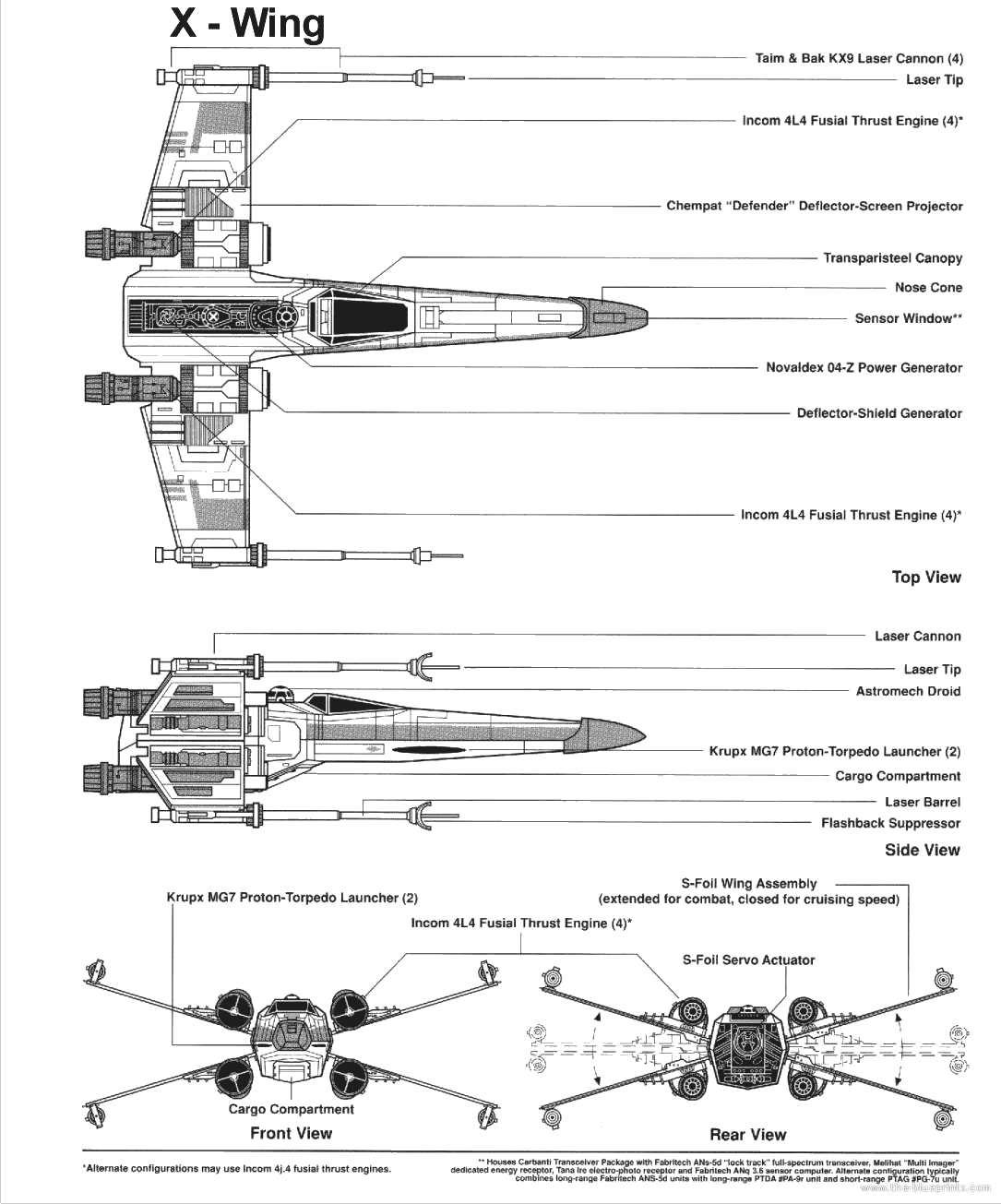
This week I finished texturing my X-wing, there's not much to say about it as it was simply UVW mapping like the tie fighter. I did the wing and body seperately, and used a solid colour for the rest. Again I modified a picture I found
online, which was a blueprint of the Xwing that I coloured in and airbrushed parts out of. I do like how it looks with the textures. If I had a bit more time I would have liked to texture the whole thing, or put a different texture on the top and bottom of the wing, but as it is they're the same.


Also this week I rendered a test scene I made. (I can't remember if I made it this week or last week, I just found it again on my removable hard drive), which was just an experiment in texturing, animation, cameras and lighting. It shows a "moon" moving over a height mapped plane, with a 'skybox' sphere, and a light is attached to the moon for a day/night cycle type effect. My friends know this scene as "Hillary Moon" as in class I had attached an amusing picture of Hillary Clinton to the moon as a texture so her face would always be watching you, much like the moon from the legend of Zelda. It detached the textures when I brought the scene home, so I've replaced the textures with 3DS Max samples, and I've added a self illumination effect to the moon.
I learned a lot from making this, if only just basic things. It showed me how to get it all to work together. I'm pleased with how it came out but it's simply a test. In hindsight I should have added a glow effect to the moon to practice that too, but I can test it when I make the lasers.
Scene 1
The whole cast together on set! I merged them all into the Scene.
As the first scene is going to be a simple fly-past of the camera with the empire's ships, I just disabled the X-Wing for this scene.
I used directional lights with a volume light effect added to make exhaust lights on the X-wing and the lambda shuttle. Though when I rendered it I realised my omni lights were incredibly bright, so they've been toned down for the final recording.
As this scene was slightly longer than intended, I increased the length of the clip to 200 frames. As I was going to render at 23fps in premier pro, this is actually longer than it sounds which worried me slightly, but I'm sure it will be okay. Since the end of the clip hangs on for quite a while as the ships pass, this means I'll have plenty to cut out when it comes to editing the final animation, and it also gives me some leeway to fiddle around with the length of the other clips.
I'm happy with how it plays so far, though I could change the speed of the ships and the the camera's arc to make the shot slightly more exciting as it appears quite boring at the moment. I'd like to have the camera swoop out of the way at the last second.
The main problem I'm still facing is 3DS Max constantly crashing and losing my most recent changes. Its begun to crash so often I can never get past 3 autoback files. Autoback 4 and 5 are from when I was still creating my models. I've repaired the installation, however this has not solved any issues at all. I'll have to look for more fixes next week.


No comments:
Post a Comment